Live streaming events require reliable and high-quality equipment to ensure a smooth and engaging experience for your audience. The best equipment for live streaming includes a good camera, a clear microphone, a strong internet connection, and a powerful streaming software or hardware encoder. These elements work together to deliver professional broadcasts without interruptions or technical issues.
Choosing the right tools depends on the scale and type of your event, but having dependable gear helps avoid common problems like poor video quality or audio lag. Whether you’re streaming a conference, concert, or gaming session, investing in solid equipment makes a significant difference in your stream’s success.
Cameras for Live Streaming
Choosing the right camera greatly affects the quality and professionalism of your live stream. Important factors include image clarity, low-light performance, autofocus reliability, and connectivity options. Different cameras serve varying needs based on event type and budget.
DSLR and Mirrorless Options
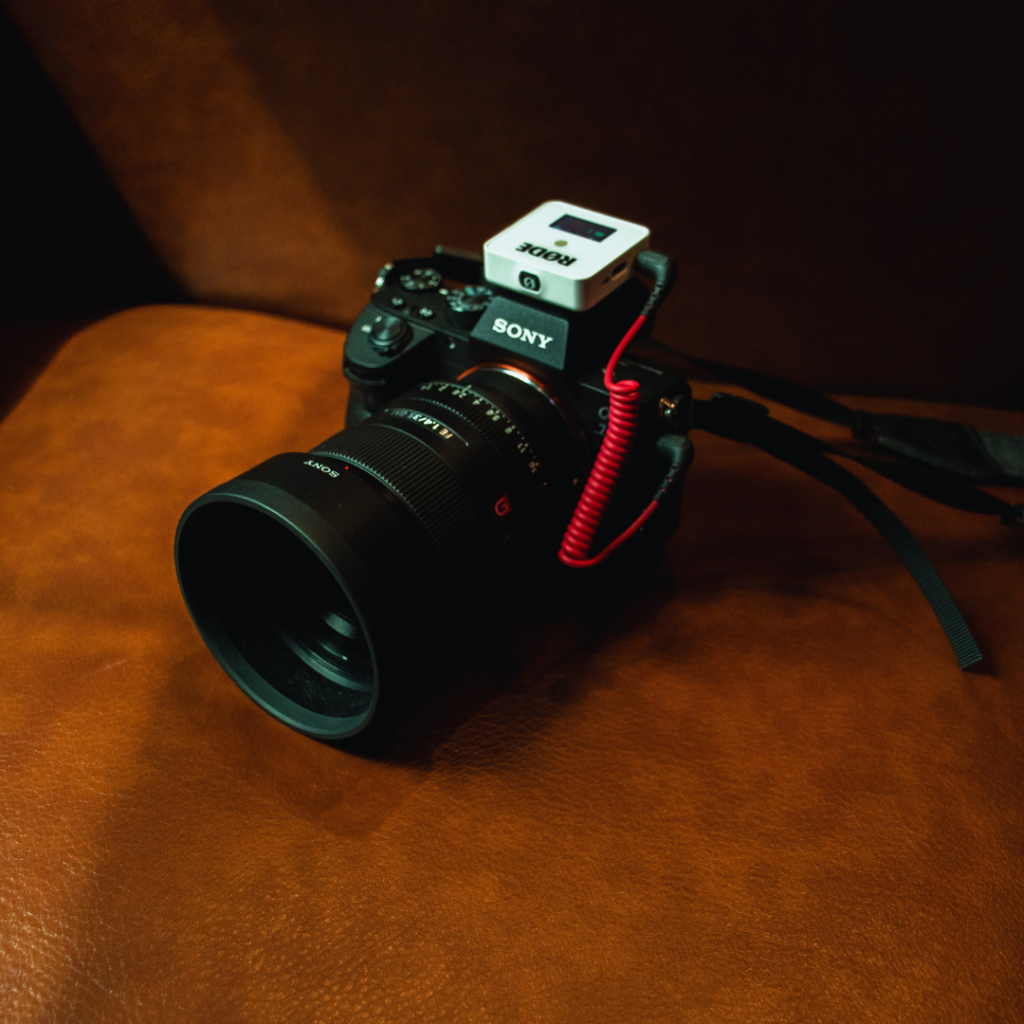
DSLR and mirrorless cameras provide excellent image quality and manual control over settings like aperture, ISO, and shutter speed. Models such as the Canon EOS R6 or Sony A7 IV offer 4K streaming and strong autofocus, crucial for dynamic events.
These cameras typically require a capture card to connect to a computer for streaming. They allow interchangeable lenses, enabling wide-angle or zoom shots depending on the venue and subject. Battery life can be limited, so external power solutions are recommended for long streams.
Webcams for Professional Use
Professional webcams like the Logitech Brio or Elgato Facecam simplify setup with USB plug-and-play connectivity. These cameras often deliver 1080p or 4K resolution with good autofocus and built-in microphones optimised for clear voice capture.
Webcams excel in small studio or desk setups where mobility and quick installation matter. However, they lack the depth of field and lens options available in DSLR or mirrorless cameras, which can affect the overall visual style.
Choosing the Right Camera
Prioritise resolution and frame rate based on the event’s needs—30 fps is standard, but 60 fps offers smoother motion. Evaluate lighting conditions; larger sensors on DSLRs handle low light better than webcams.
Consider your setup’s portability and power options. DSLRs and mirrorless cameras are better for varied environments, while webcams suit controlled indoor spaces. Budget constraints will also influence whether to invest in advanced models or reliable webcams.
Microphones and Audio Equipment
High-quality audio is essential for live streaming events, requiring specialised gear to capture clear and consistent sound. Choosing the right microphones and audio hardware helps reduce noise, improve voice clarity, and streamline mixing tasks.
Lavalier and Headset Microphones
Lavalier microphones are small, clip-on mics ideal for presenters and interviews, offering hands-free operation and discreet placement. They connect via wired or wireless systems, providing mobility and consistent audio pickup close to the mouth. Wireless lavaliers typically operate on UHF or 2.4 GHz frequencies, requiring proper channel management to avoid interference.
Headset microphones combine a mic with headphones, delivering clear vocal capture and immediate monitoring. They are preferred for active speakers or performers who need both sound input and feedback without holding a mic. Look for models with adjustable booms and noise-cancelling features to minimise background noise in busy event environments.
Audio Interfaces
Audio interfaces convert analogue microphone signals into digital data for your streaming setup, ensuring clean, low-latency audio input. USB and Thunderbolt models are common; USB interfaces are widely compatible and budget-friendly, while Thunderbolt offers faster data transfer for large-scale productions.
Key features include multiple inputs to handle several microphones or instruments, preamps to boost signal quality, and direct monitoring capabilities. Some interfaces provide onboard processing like compression and EQ, which can aid in maintaining balanced sound without heavier computer software reliance.
Mixers for Live Audio Control
Audio mixers allow real-time adjustment of multiple audio sources, crucial for balancing crowd noise, speech, and music during live streams. Digital mixers offer presets, scene recalls, and integration with streaming software, making complex setups easier to manage.
Analogue mixers provide tactile control over volume and tone but lack built-in effects and automation. Consider the number of channels, output options, and built-in features such as EQ and effects. A compact mixer with at least four channels is typically sufficient for small to medium live events.
Lighting Solutions for Live Events
Effective lighting is essential for creating clear, professional visuals during live events. Choices about light type, intensity, and placement directly influence the quality of the stream and the presenter’s appearance on camera.
LED Panel Options
LED panels provide bright, consistent light while using minimal power. They often come with adjustable brightness and color temperature, allowing customization for different environments. Popular models include the Aputure Amaran series and Neewer LED panels.
These panels are lightweight and portable, making setup easier in varied locations. Many features are built into diffusers to soften harsh shadows. Choosing one with a wide dimming range and adjustable Kelvin temperature (2700K to 6500K) ensures adaptability.
Battery-operated LEDs increase flexibility for events without easy access to outlets. Look for models with a high CRI (Colour Rendering Index) above 90 to keep colours accurate and natural under artificial lighting.
Ring Lights versus Softboxes
Ring lights produce uniform, shadow-free illumination with a characteristic circular catchlight in the eyes. They are compact and easy to position around cameras for tight, close-up shots. However, their lighting can appear flat or overly direct if not diffused correctly.
Softboxes create broader, softer light by diffusing LED or incandescent sources through fabric. This reduces sharp shadows and highlights, enhancing depth and dimension on subjects. They work well for larger setups or capturing full-body shots.
Choosing between the two depends on the event scale and desired look. Ring lights suit single speakers or vlog-style streams. Softboxes fit multi-person panels or staged environments needing more natural, less focused light.
Lighting Placement Tips
Position lights at 45-degree angles from the subject to reduce shadows and balance brightness. Placing the main light slightly above eye level mimics natural sunlight and avoids unflattering upward shadows.
Use a fill light opposite the key light to soften shadows without flattening the image. Background lights can create depth and separate presenters from the background, preventing a flat appearance.
Avoid placing lights directly behind cameras, as this can cause glare or wash out colours. Adjust distance to control light intensity and prevent overexposure or hot spots on the subject’s face.
Streaming Software and Encoders
Choosing the right streaming software and encoder is crucial for seamless event broadcasting. These tools control video quality, support various input sources, and manage live interactions, impacting the viewer experience directly.
Popular Streaming Platforms
YouTube Live, Twitch, and Facebook Live dominate the market, each offering unique features. YouTube Live supports high resolutions up to 4K and has robust integration with Google services. Twitch focuses on community engagement and low-latency streaming, ideal for interactive events. Facebook Live excels in social sharing, helping streams reach wider audiences quickly through network effects.
All three platforms accept RTMP streams, making compatibility with most encoders straightforward. Pricing models vary but are generally free with optional paid features like better analytics or priority support.
Hardware vs. Software Encoders
Hardware encoders process video data via dedicated devices, offering stable performance and low latency. They are preferred for long events or unreliable internet environments due to their reliability and minimal CPU usage.
Software encoders run on computers, offering flexibility and advanced customisation options. Popular examples include OBS Studio and Wirecast. They support multiple plugins and filters but demand more from the computer’s processor, which can lead to dropped frames with insufficient hardware.
Choosing depends on event scale, budget, and technical skill availability. Hardware suits professional setups, while software is ideal for small to mid-sized, budget-conscious streams.
Multi-Camera Switching Software
Multi-camera switching adds professionalism by allowing real-time transitions between different angles. Software like vMix, Wirecast, and OBS Studio support this feature, enabling smooth cuts, picture-in-picture, and layered graphics.
These programs often include built-in audio mixers and replay features, enhancing control without additional gear. Some provide external hardware control via control surfaces for faster switching.
Effective multi-camera software supports multiple inputs, offers customizable transition effects, and integrates with streaming platforms for seamless output. This capability improves content dynamism, keeping viewers engaged throughout the event.
Essential Accessories
Reliable stabilisation tools and customizable backgrounds improve video quality and viewer engagement. Proper equipment setup enhances professionalism and ease of use during live streams.
Tripods and Mounts
Stable camera positioning is critical for clear, shake-free footage. Tripods with adjustable height and pan/tilt heads allow flexible framing. Look for models made from lightweight aluminium or carbon fibre to balance portability and strength.
Mounts are essential for attaching cameras, microphones, or lights in specific positions. Ball-head mounts provide smooth, precise angle adjustments. Clamp mounts can attach equipment to tables or poles securely.
Integration with your streaming rig is key. Choose tripods and mounts with standard 1/4″-20 screw threads to ensure compatibility with most cameras and accessories. Consider quick-release plates for fast setup and teardown.
Green Screens and Backdrops
Green screens enable background replacement, enhancing production value without needing physical sets. Opt for wrinkle-resistant fabric or collapsible pop-up panels for easy storage and transport.
Lighting consistency is vital for effective chroma keying. Even shadow-free illumination minimises keying errors. LED panel lights with adjustable colour temperature work well to balance the scene.
For backdrops, solid colours like white, black, or branded designs suit different content types. Ensure backdrop size exceeds camera frame dimensions to avoid visible edges during streaming. Support stands with adjustable height and width provide stability.
Reliable Internet and Networking Gear
A stable internet connection and appropriate networking hardware ensure smooth, uninterrupted live streaming. Choosing the right connection type and reliable network devices directly impacts stream quality and latency.
Wired vs. Wireless Connections
Wired connections use Ethernet cables, offering lower latency, faster speeds, and more stability than wireless. For live streaming, an Ethernet connection reduces the risk of signal drops and interference common in Wi-Fi setups. Cat6 cables are recommended due to their support for gigabit speeds and future-proofing.
Wireless connections provide convenience and flexibility, useful in locations where cables are impractical. However, they often experience signal fluctuations due to distance, obstacles, or congested channels. To improve wireless reliability, use dual-band routers with 5 GHz frequency, which handle higher bandwidth and face less interference than 2.4 GHz bands.
Network Switches and Routers
Network switches expand the number of LAN ports available, allowing multiple devices to connect directly through Ethernet. For live streaming, managed switches help prioritise traffic via Quality of Service (QoS), reducing lag for streaming devices.
Routers distribute internet access and manage traffic between networks. Choosing a router with gigabit Ethernet ports and a strong CPU ensures it can handle multiple streams without bottlenecks. Features like dual-band support, MU-MIMO, and the latest Wi-Fi standards (Wi-Fi 6 or higher) enhance reliability for both wired and wireless connections.
Monitoring and Playback Tools
Effective monitoring and playback solutions are essential for maintaining visual clarity and audio accuracy during live streams. These tools help identify issues in real-time, ensuring the stream’s quality matches professional standards.
On-Camera Monitors
On-camera monitors provide a real-time video feed directly from the camera, allowing operators to confirm framing, focus, and exposure without relying solely on the camera’s built-in screen. Choosing monitors with high resolution and accurate colour representation is critical for precise adjustments live.
Important features include:
- Brightness: Minimum 1,000 nits for outdoor visibility.
- Input options: HDMI and SDI compatibility for versatile use.
- Size: Typically between 5″ and 7″, balancing portability with screen real estate.
Brands like SmallHD and Atomos offer reliable monitors known for durability and image fidelity. Battery-powered models increase mobility, essential during event setups.
Audio Monitoring Solutions
Clear audio monitoring prevents sound issues like distortion, latency, or interference before they reach the audience. Using over-ear, closed-back headphones or in-ear monitors with reliable noise isolation is standard.
Critical specs to consider:
- Frequency response: 20Hz to 20kHz for full audio range.
- Impedance: Low impedance (under 50 ohms) to work with portable mixers.
- Comfort: Lightweight and adjustable for extended use.
Audio interfaces and mixers with headphone outputs should support direct monitoring with near-zero latency. Devices from brands such as Audio-Technica and Sennheiser are widely used for their accuracy and rugged design.
Power Management
Reliable power sources ensure uninterrupted streaming and equipment safety. Choosing the right power options depends on event duration, location, and equipment requirements.
Battery Solutions
Battery packs and portable power stations offer mobility and backup power for on-the-go streaming setups. Look for high-capacity lithium-ion batteries with at least 20,000mAh to power cameras, lights, and laptops reliably.
Power banks with multiple USB outputs and AC outlets provide versatility. Check compatibility with your equipment voltage requirements. Consider hot-swappable batteries for extended live sessions without shutdowns.
For longer events, having extra charged batteries or a charging strategy is essential. Always verify charging times and use batteries with built-in overcharge and temperature protection to minimise risks.
Uninterruptible Power Supplies
Uninterruptible Power Supplies (UPS) protect your system from power surges and outages. Choose models with pure sine wave output to prevent damage to sensitive electronics like cameras and computers.
The UPS capacity should exceed your total power draw for a safety margin. For example, if your setup uses 500W, select a UPS rated for 600W or more.
Look for features like automatic voltage regulation (AVR) and adjustable runtime settings. These can provide clean, stable power during voltage fluctuations common at event venues.
Regularly test the UPS battery health and replace it as recommended by the manufacturer to ensure ongoing reliability.
Portability and On-the-Go Setups
Portability is crucial for live streaming events outside a fixed studio. Equipment must be lightweight, compact, and easy to transport.
Key portable gear includes:
- Compact cameras or action cams
- Lightweight tripods
- Battery-powered audio devices
- Mobile capture cards
Battery life is a major consideration. Devices with long battery life or quick charging avoid interruptions during streams.
Storage solutions should be reliable but small. External SSDs or high-capacity SD cards offer fast read/write speeds in compact sizes.
Wireless options reduce setup time and cable clutter. Wireless microphones, video transmission, and network connections improve mobility.
| Equipment Type | Portable Features | Notes |
| Cameras | Lightweight, durable | Mirrorless or action cams |
| Tripods | Foldable, compact | Carbon fibre preferred |
| Audio Devices | Battery-operated, wireless | Lavalier or shotgun mics |
| Capture Cards | USB-powered, small footprint | Compatible with laptops/tablets |
| Storage | SSD or SD cards with high speed | Preferably a rugged design |
Carrying cases or backpacks designed for streaming kits protect gear and keep setups organised. Modular systems enable quick assembly and breakdown.
Portability balances performance and convenience, ensuring smooth streaming in diverse environments.
Future-Proofing Your Live Streaming Equipment
Investing in equipment that can handle future demands helps avoid frequent upgrades. Prioritise devices that support the latest standards, such as 4K resolution and HDR. This ensures compatibility with evolving streaming platforms and viewer expectations.
Choose modular hardware wherever possible. Cameras, microphones, and mixers with interchangeable parts or firmware updates extend the lifespan of the system. Modular setups also simplify repairs and component swaps.
Pay attention to connectivity options. Devices with multiple input/output ports, including USB-C, HDMI 2.1, and Ethernet, are more adaptable to new peripherals. Wired and wireless compatibility offers flexibility for changing event environments.
| Feature | Why It Matters |
| Firmware Upgradable | Keeps hardware current |
| 4K/UHD Support | Future video resolution needs |
| Multiple Connectivity | Enhances device compatibility |
| Modular Design | Simplifies maintenance |
| Strong Build Quality | Increases equipment longevity |
Keep software integration in mind. Equipment that works with popular streaming platforms and supports updates reduces compatibility issues. This is vital as streaming technologies advance rapidly.
Lastly, consider scalability. Equipment that can grow with your streaming needs — such as adding extra cameras or audio sources — reduces replacement costs over time. Select a gear that offers easy expansion options to adapt to larger or more complex events.