
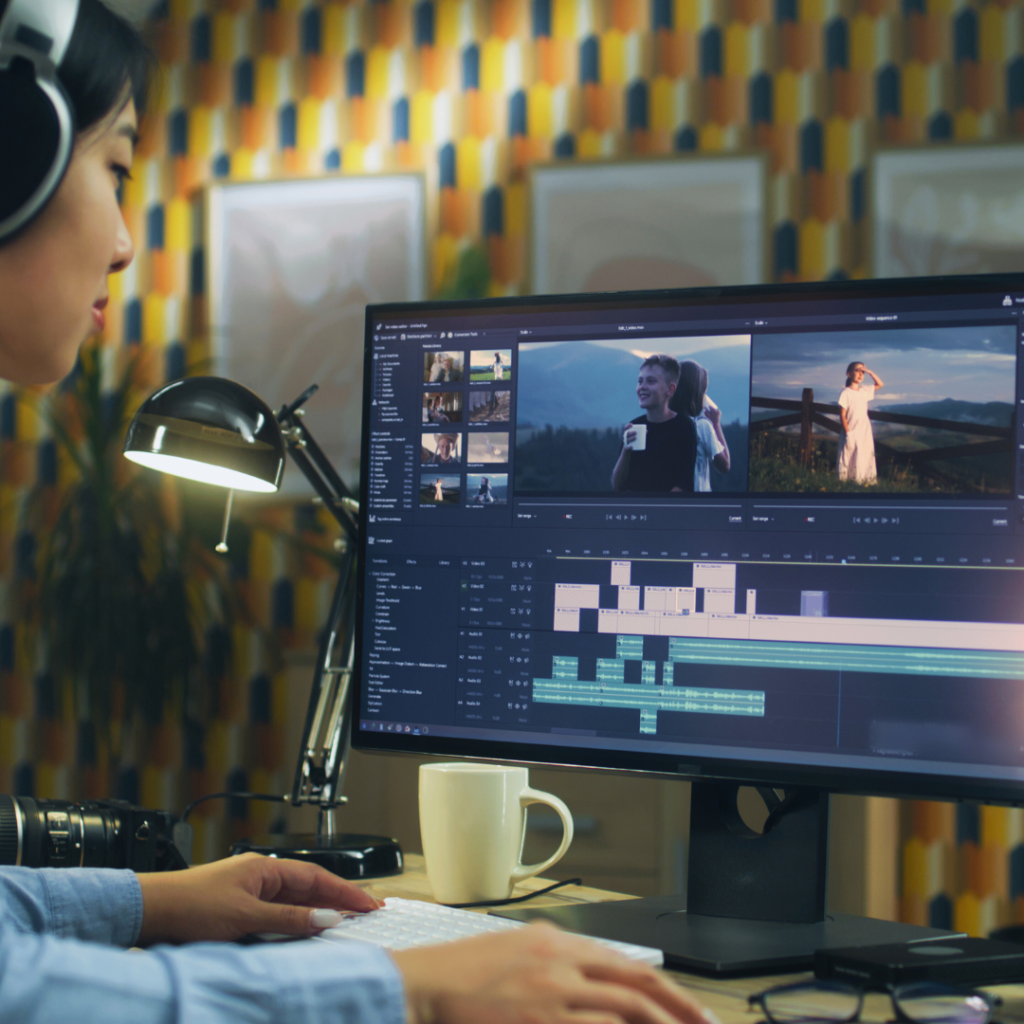
Content creators need reliable editing software to produce high-quality work efficiently. The best editing software combines ease of use, powerful features, and compatibility with various content types. Choosing the right tool depends on the creator’s specific needs, whether for video, audio, or graphic content.
Different software options serve different purposes, from beginner-friendly editors to advanced programs designed for professionals. Understanding what makes software effective helps creators save time and improve their output quality.
This guide highlights top editing software options that meet the demands of today’s content creators, helping users find the best fit for their projects and skill levels.
What to Look for in Editing Software
Editing software should offer functionalities that directly enhance productivity and output quality. It is essential to identify tools that balance powerful features with intuitive controls, fit within budget constraints, and operate smoothly on your preferred device.
Key Features
Look for software that supports the specific types of media you work with, such as video, audio, or images. Essential features include multi-track timelines, colour correction tools, audio mixing, and seamless export options. Advanced capabilities, like motion tracking or AI-enhanced editing, can save time but may not be necessary for every user.
Check if the software offers a real-time preview and supports common file formats like MP4, MOV, MP3, and WAV. Built-in templates and filters help streamline creative workflows. Integration with other platforms, such as cloud storage or social media, also adds value.
Ease of Use
The learning curve can significantly impact your editing speed. Interfaces that clearly label functions and allow for drag-and-drop editing improve accessibility, especially for beginners. Customisable workspaces enable users to tailor the environment to their preferences.
Support resources like tutorials, forums, and responsive customer service enhance usability. Consider software that offers keyboard shortcuts and undo/redo options, as these features help avoid frustration and improve efficiency during complex edits.
Pricing Models
Editing software pricing varies from free to subscription-based or one-time purchases. Free solutions may have limited features or include watermarks on exports, which can restrict professional use.
Subscription plans often provide regular updates and cloud storage, but may become costly over time. One-time purchase software typically offers full access upfront with optional paid updates. Evaluate what fits your budget against how often you need software upgrades and customer support.
Platform Compatibility
Ensure the software you choose runs smoothly on your operating system—Windows, macOS, or Linux. Performance differs depending on hardware specs, such as RAM, CPU, and GPU.
Some programs offer mobile apps or browser-based versions for on-the-go editing. Cross-platform compatibility can facilitate collaboration with others using different systems. Check for required system specifications and any restrictions before committing.
Top Editing Software for Content Creators
Choosing the right editing software depends on your workflow, the complexity of your projects, and platform compatibility. The options below vary in features, pricing, and user interface, catering to both beginners and advanced users.
Adobe Premiere Pro
Adobe Premiere Pro is a professional-grade video editor widely used in the industry. It supports a vast range of formats and offers powerful tools like multi-cam editing, colour grading, and advanced audio controls. Integration with Adobe Creative Cloud allows seamless workflow with apps like After Effects and Photoshop.
Its subscription model ensures constant updates but may be costly over time. The interface is highly customisable, suitable for detailed projects with complex timelines. Premiere Pro works on both Windows and macOS, making it versatile for different users.
Final Cut Pro
Final Cut Pro is Apple’s premium video editing software, known for its magnetic timeline and optimised performance on Mac hardware. It supports 4K and 8K video editing with efficient rendering speeds and advanced colour grading tools.
The one-time purchase model appeals to those who prefer to avoid subscriptions. It integrates well with other Apple applications and hardware like the MacBook Pro and iMac. Final Cut Pro is designed for professionals and enthusiasts invested in the Apple ecosystem.
DaVinci Resolve
DaVinci Resolve combines professional editing, colour correction, visual effects, and audio post-production in one package. Its colour grading capabilities are industry-leading, favoured by filmmakers for precise control.
The free version offers robust editing features, while the Studio version adds effects and collaborative tools. Resolve supports Windows, macOS, and Linux, expanding its accessibility. The software has a steeper learning curve but delivers comprehensive functionality for advanced users.
CapCut
CapCut is a user-friendly, free video editor popular among social media creators. It offers easy drag-and-drop editing, basic effects, and quick export options for different platforms. Its mobile version is widely used for on-the-go editing.
Though less powerful than desktop software, CapCut is ideal for short videos and simple edits. It supports various aspect ratios and includes built-in music and filters. CapCut works on iOS, Android, and now has a desktop app for versatile use.
Best Software for Video Editing
Video editing software varies widely in complexity and features. Some programs prioritise ease of use for beginners, while others provide advanced tools tailored for professionals. Mobile apps offer quick editing for content on the go without sacrificing essential functions.
Beginner-Friendly Options
For newcomers, software like Adobe Premiere Elements and iMovie offers intuitive interfaces with drag-and-drop editing. These tools focus on simplicity and include preset templates, transitions, and basic colour correction.
Filmora is another good choice with easy-to-understand controls and built-in effects. These programs support standard formats and export options suited for platforms like YouTube and Instagram.
They generally lack the deep customisation of professional software but are ideal for users who want efficient editing without a steep learning curve. Tutorials and active communities also make these accessible for beginners.
Professional Solutions
Advanced editors often turn to Adobe Premiere Pro, Final Cut Pro, or DaVinci Resolve. These software packages provide extensive control over editing timelines, multi-camera projects, and colour grading.
DaVinci Resolve stands out with its industry-standard colour correction tools. Meanwhile, Premiere Pro integrates well with other Adobe Creative Cloud apps, enabling complex post-production workflows.
These options demand more system resources and a steeper learning curve but deliver powerful features like motion graphics, audio mixing, and support for 8K video. They suit creators aiming for high-quality, detailed projects.
Mobile Editing Tools
Mobile apps such as LumaFusion (iOS) and KineMaster (Android, iOS) enable on-the-go editing with a range of controls. You can trim clips, add overlays, transitions, and work with multiple tracks.
These apps balance functionality with portability, offering touch-friendly interfaces and compatibility with cloud storage. Some provide export presets tailored for social media.
Though not as feature-rich as desktop programs, mobile tools allow quick edits, rough cuts, and direct uploads from smartphones. They are helpful for creators needing fast turnaround times without accessing a computer.
Best Software for Photo Editing
Photo editing software ranges from industry standards with robust feature sets to AI-enhanced tools that simplify complex tasks. Users must balance functionality, ease of use, and cost when selecting the right program.
Popular Choices
Adobe Photoshop remains the top choice for professionals, offering comprehensive tools like layers, masks, and advanced retouching. Lightroom is preferred for batch editing and organising large photo libraries with non-destructive editing.
Affinity Photo is an affordable alternative, providing most Photoshop features with a one-time purchase. Capture One excels in raw image processing and colour grading, favoured by studio photographers.
Each program supports various file formats, but compatibility with specific cameras or workflows can be decisive when choosing software.
AI-Powered Tools
AI features have transformed photo editing by automating tasks like background removal, skin retouching, and colour correction. Luminar Neo uses AI to enhance landscapes and skies quickly.
Photoshop now includes AI-driven selections and content-aware fill, speeding up editing. AI tools reduce manual adjustments, making editing more accessible for beginners and efficient for experts.
Still, human oversight is necessary to ensure edits remain natural and accurate, as AI may not perfectly handle complex or artistic demands.
Free vs Paid Software
Free photo editors like GIMP and Paint.NET provide basic to intermediate tools, suitable for users on a budget or learning the craft. Their interfaces may be less polished, and they often lack advanced features found in paid options.
Paid software typically offers more frequent updates, customer support, and integration with other creative tools. Subscription models like Adobe Creative Cloud provide access to multiple apps but entail ongoing costs.
Choosing between free and paid depends on skill level, project complexity, and how critical professional features are for your workflow.
Audio Editing Solutions for Creators
Audio tools for creators vary widely but focus on clarity, ease of use, and workflow efficiency. Effective solutions offer advanced noise reduction, multitrack editing, and seamless integration with other content types.
Podcast Editing Tools
Podcast editors prioritise clean audio and seamless episode assembly. Tools like Adobe Audition and Audacity offer multitrack editing with noise gating, equalisation, and compressor effects tailored to spoken word.
Features such as automatic silence removal and batch processing speed up editing. Integration with transcription services enhances content accessibility. Easy export options in multiple formats prepare files for various distribution platforms.
Collaboration features enable multiple editors to work on the same project remotely. Intuitive interfaces reduce the learning curve, crucial for creators balancing production schedules.
Music Integration Features
Music integration tools focus on synchronising audio tracks with video or other content types. Software like Logic Pro and FL Studio allow creators to compose or import music with precise timing controls.
Essential features include MIDI support, loop libraries, and real-time effects processing. Audio-to-video synchronisation helps maintain consistent pacing and mood.
Advanced pitch correction and mixing tools ensure audio quality matches professional standards. Export options often support stems, enabling flexible rearrangement or remixing post-export.
These features support a cohesive multimedia experience, enhancing overall content impact.
Collaboration and Cloud-Based Editing
Editing software today frequently includes features that enable multiple users to work together seamlessly. Efficient teamwork and centralised file management boost productivity and reduce version conflicts.
Real-Time Collaboration
Real-time collaboration allows multiple users to edit the same project simultaneously. Platforms like Adobe Premiere Pro and Frame.io provide shared timelines and live annotations to streamline feedback.
Changes are instantly visible to all participants, which prevents duplication of work. Additionally, user roles and permissions help manage who can edit or comment, ensuring control over the project’s direction.
This feature is crucial for remote teams or agencies handling tight deadlines. It reduces communication gaps and speeds up the review process by consolidating feedback within the software itself.
Cloud Storage Integration
Cloud storage integration connects editing projects to platforms such as Google Drive, Dropbox, or proprietary cloud services. This enables automatic syncing, easy sharing, and secure backups.
Files stored in the cloud can be accessed from any device, facilitating flexible workflows. Some software, like DaVinci Resolve Studio, supports proxy workflows that link local editing with cloud assets, improving performance on lower-end hardware.
Cloud integration also supports the storage of large video files without consuming local disk space. Version control has improved since updates sync automatically, allowing editors to track changes over time effectively.
Niche Editing Tools for Specialised Content
Certain content types require software tailored to specific workflows and output formats. These tools emphasise precision, ease of use, and advanced features that address the unique needs of creators in their respective fields.
Animation Software
Animation software like Adobe Animate and Toon Boom Harmony caters specifically to motion graphics and character animation. These programs offer frame-by-frame editing, rigging capabilities, and a variety of export options optimised for video platforms.
Key features include:
- Vector and raster drawing tools
- Timeline-based editing with onion skinning
- Integration with other Adobe Creative Cloud apps
- Support for 2D and limited 3D animation
For animators, the ability to fine-tune timing and control character movements is essential. These programs balance complexity with accessibility, making them suitable for professionals and indie creators alike.
Social Media Editing Apps
Social media platforms demand fast, vertical-video optimised editing tools. Apps like InShot and CapCut provide user-friendly interfaces with features designed for creating engaging short-form content.
Important capabilities include:
- Aspect ratio presets for Instagram, TikTok, and YouTube Shorts
- Filters, stickers, and text overlays
- Quick trimming and multi-clip assembly
- Music libraries with royalty-free tracks
These apps streamline the editing process, enabling creators to rapidly tailor content for specific social networks without the need for desktop software or extensive technical knowledge.
Tips for Choosing the Right Editing Software
Start by identifying the type of content you create. Different software caters to video, photo, or audio editing, so choose one that fits your specific needs.
Consider your skill level. Beginners might prefer simpler interfaces, while professionals may need advanced features and customisation options.
Budget plays a key role. Free or low-cost tools can be effective, but investing in premium software often provides access to better support and regular updates.
Look for compatibility with your devices and operating system. Software that runs smoothly on your hardware will save time and prevent technical issues.
Check available features against your workflow. Essential tools like layering, colour correction, or audio mixing should be easy to access.
|
Factor |
Considerations |
|
Ease of Use |
Intuitive UI, learning curve |
|
Features |
Tools available, export formats |
|
Performance |
Speed, stability, system requirements |
|
Support & Updates |
Customer service, frequency of updates |
|
Price |
One-time purchase vs subscription models |
Trial versions can help evaluate software before purchasing. Spend some time testing how the interface feels and whether the features meet your expectations.
Finally, research community feedback. User reviews, forums, and tutorials often reveal real-world strengths and weaknesses of the software.
Editing Software Trends and Future Outlook
Editing software is rapidly evolving, driven by advances in artificial intelligence (AI) and machine learning. These technologies enhance automation, making tasks like colour correction, audio balancing, and scene detection faster and more accurate. Content creators can now focus more on creativity rather than technical details.
Cloud-based editing platforms are gaining popularity. They allow seamless collaboration and access to projects from multiple devices. This trend supports remote teamwork and flexible workflows, especially important in global content production.
Another key development is increased support for 4K, 8K, and VR content. As audiences demand higher-quality visuals and immersive experiences, software must handle larger files and more complex edits efficiently. Performance optimisation continues to be a priority for developers.
|
Trend |
Impact |
Examples |
|
AI and automation |
Speeds up repetitive tasks |
Adobe Sensei, Blackmagic DaVinci Resolve |
|
Cloud-based collaboration |
Enables remote teamwork |
Frame.io, Adobe Creative Cloud |
|
High-resolution and VR support |
Meets growing quality demands |
Final Cut Pro, Adobe Premiere Pro |
Integration with other tools like social media schedulers and analytics platforms is also increasing. This allows creators to manage production and distribution in one place, improving workflow efficiency.
Security and data privacy are becoming more critical as cloud use grows. Software companies prioritise encryption and secure access to protect sensitive content and intellectual property.
Conclusion
Choosing the right editing software depends on your specific needs and skill level. Whether you prioritise ease of use, advanced features, or budget, there is a tool designed to fit those requirements.
For beginners, options like iMovie or Filmora offer intuitive interfaces without overwhelming complexity. More experienced creators may find software such as Adobe Premiere Pro or DaVinci Resolve provides robust functionality and greater control.
|
Software |
Best For |
Price Range |
|
iMovie |
Beginners |
Free |
|
Filmora |
Casual Creators |
Affordable |
|
Adobe Premiere Pro |
Professionals |
Subscription |
|
DaVinci Resolve |
Colour Grading & Editing |
Free/Paid Versions |
Remember to consider hardware compatibility and the learning curve. Trial versions are often available and can help identify the best match before committing.
Invest time in mastering your chosen software to maximise productivity and content quality. The right tool, combined with skill, will support your creative goals.